 Sideleaf
Notes · Tasks · Small teams
Paper beside your keyboard.
Write down what comes to mind, check off what needs doing, share it with your team when it matters. No sign-up form, no ads, nobody watching.
No account needed · Free · Runs in your browser

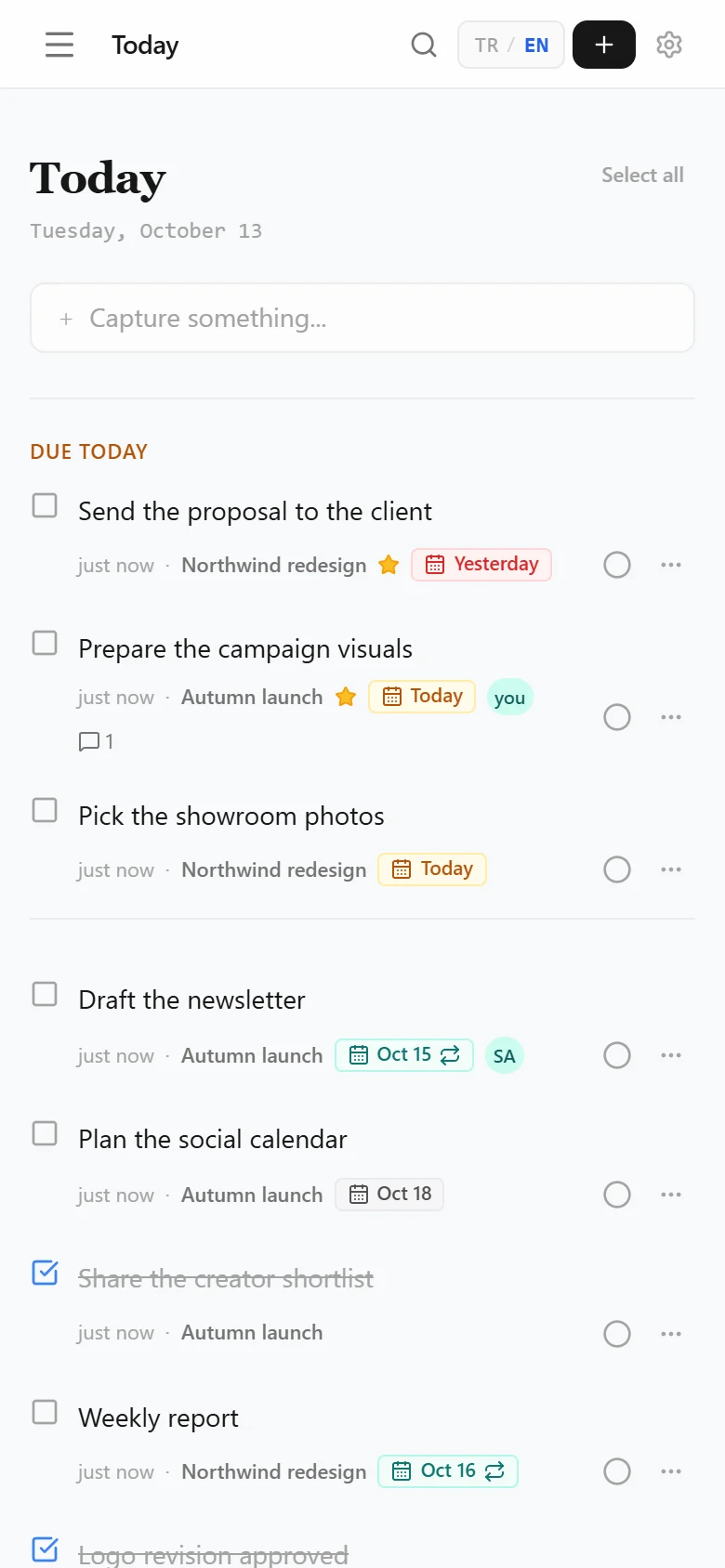
A working day, on one page
Before the idea slips
Something occurs to you mid-meeting. Ctrl+Space, a few words, Enter. Where it belongs can wait.
A note becomes work
The line you wrote this morning is now something to do. Make it a task, give it tomorrow’s date. If it repeats every week, say so once.
Work changes hands
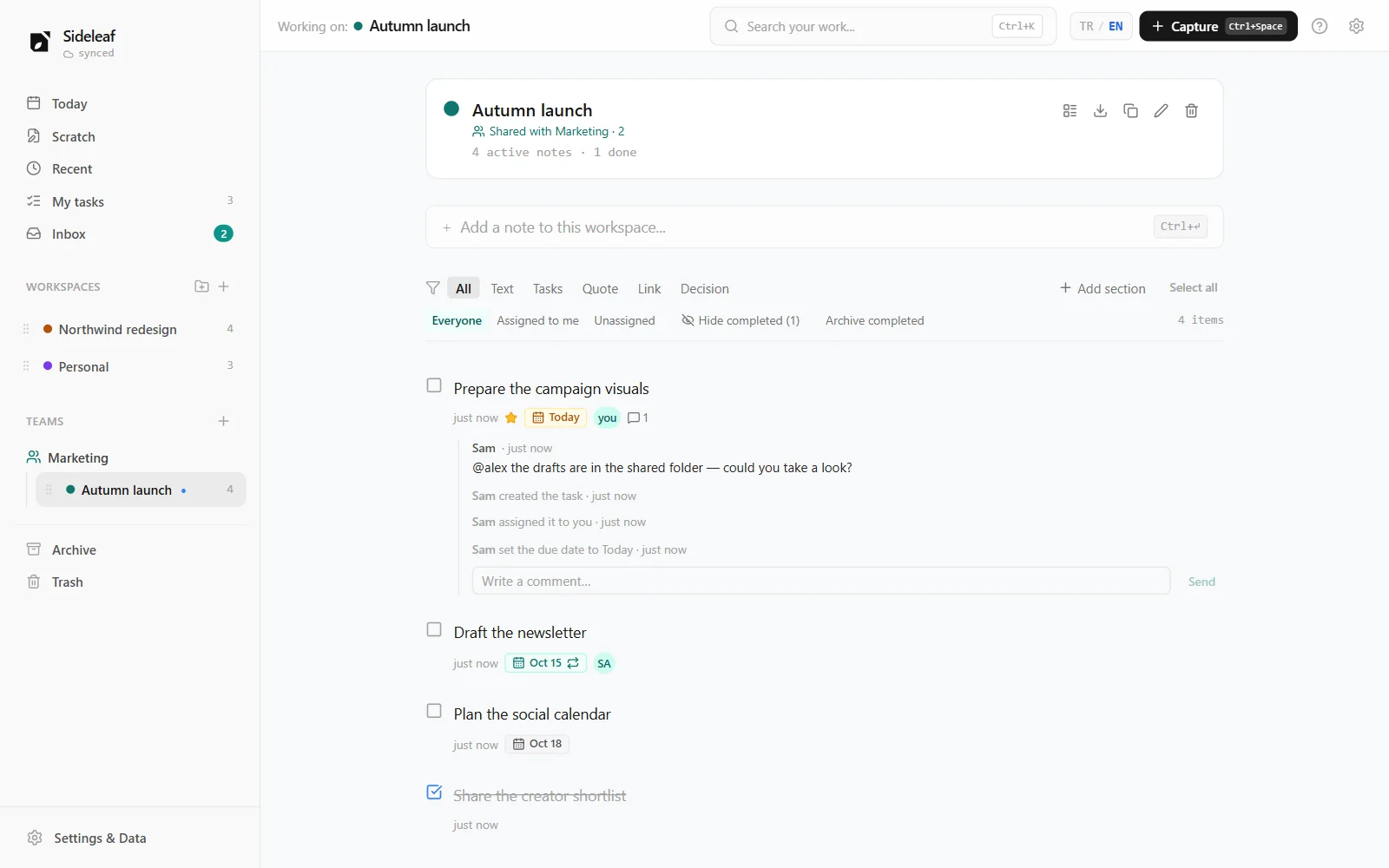
Type @sam and the task is Sam’s, with a notification on their phone. Questions go right under the task, next to who changed what and when.
The day closes
Select what’s done and complete it all at once. Tomorrow is waiting in My tasks, overdue items first.
Why Sideleaf?
Write first, organize later.
Note or task, which project — nothing is asked while you write. Structure arrives when you need it.
Start without an account.
Open the page and write; your notes stay in this browser. Later, a free account carries them to all your devices.
Your data stays yours.
No ads, no analytics, no third-party services. We don’t even send email: you reset your password with recovery codes.
Calm by design.
No dashboards, no badges, no streaks. Just what you wrote, with small, quiet details around it.
The same page, for your team
Share a workspace with your team and everything else feels familiar. No boards, sprints or workflows — just who does what, by when.
- Join with an invite link; nobody is asked for an email address.
- Assignments, due dates, comments and each task’s history.
- An inbox for what’s assigned to you, comments and mentions.
- Roles: owner, admin, member and read-only guest.
Also
- Repeating tasks
- Reminders and phone notifications
- Select many, complete once
- Works offline
- Light and dark themes
- Everything from the keyboard
- Markdown and backup export
- Installs like an app on your phone
Questions
Is it really free?
Yes. No payments, no ads, no paid plan.
Where are my notes kept?
Without an account, only in the browser you use. With an account, on Sideleaf’s own server — never sent to another company. You can download all your data or delete your account at any time.
Can I use it on my phone?
Yes. Open it in the browser and choose “Add to Home Screen”; it opens like an app and works offline. Notifications need it installed that way.
What happens to my notes when I sign up?
The notes on this device move into your account and appear on every device you sign in to.
What if I forget my password?
Use one of the recovery codes you got when signing up to set a new one. Since we never send email, keep those codes safe.